Recent Post
Does March Die In To Your Eternity Character Fate Explained ...
The emotional story of To Your Eternity has captured anime and manga fans around the world through its deep themes of life, loss, and human connection. One of the earliest and most impactful character arcs involves March, the young girl who forms a maternal bond with the immortal protagonist, Fushi. Readers and viewers often wonder about her ultimate destiny due to the supernatural elements of the series. This article breaks down March's complete character fate, clarifying how her tragic passing and eventual return shape the overall narrative.
The Heartbreaking Sacrifice of March
In the initial arc of the series, March is selected to be a human sacrifice for the giant bear deity known as Oniguma. After escaping with the help of Parona and bonding with Fushi, her peaceful moment is cut short by Hayase's forces. During a desperate escape attempt, March steps in front of an arrow intended for Parona, sacrificing her life to save her sister. Her death serves as one of Fushi's earliest experiences with profound grief, unlocking her physical form for his transformations.
How March's Spirit Remains Connected to Fushi
Despite her tragic physical passing early in the story, March does not simply disappear from the narrative. Her spirit chooses to stay near Fushi rather than immediately ascending, bound by her lingering love and desire to watch over him. Because Fushi retains the memories and physical blueprints of those he loved, March's essence remains deeply integrated into his growth. Her maternal guidance leaves a lasting mark on Fushi as he learns what it truly means to be human.
The Resurrection Arc and March's Second Chance
As Fushi's abilities expand later in the story, he gains the power to restore deceased companions back to physical life. March is among the key figures resurrected during the overarching conflict against the Nokkers, granting her the opportunity to live out the future that was stolen from her. This revival allows her to experience growing up and fulfilling her long-held dream of becoming a mother. Her ultimate fate concludes on a heartwarming note, giving fans a satisfying resolution to her journey.
Why March's Fate Matters to the Core Themes
The journey of March highlights the central themes of survival, love, and legacy that define Yoshitoki Oima's masterpiece. Her sacrifice teaches Fushi empathy, while her eventual return demonstrates the enduring strength of human bonds across time. Ultimately, March's story transitions from early tragedy into a triumphant tale of fulfillment and renewal. Her complete character arc remains one of the most memorable elements in the entire series.

Steam How to Take Screenshot Complete Screenshot Guide ...
Capturing your favorite in-game moments on Steam is a simple process that allows gamers to archive achievements, funny glitches, and stunning vistas. Whether you are playing an action-packed indie title or a sprawling open-world RPG, knowing how to take and manage screenshots elevates your overall gaming setup. This guide covers everything you need to know about capturing high-quality images during your gameplay sessions.
Default Screenshot Shortcut and Customization
By default, pressing the F12 key on your keyboard while playing any game through Steam captures a screenshot instantly. You will hear a subtle camera shutter sound and see a notification pop up in the corner of your screen confirming the image was saved. This seamless integration ensures you never miss a memorable moment while staying completely immersed in your game.
If the default key conflicts with another application or keybind, Steam allows complete customization of the screenshot shortcut. You can easily navigate to the client settings under the In-Game tab to change the hotkey to any key combination that suits your playstyle. Adjusting this setting ensures comfortable access without interrupting your hotkey bindings in competitive titles.
Finding and Managing Saved Screenshots
Locating your saved images is straightforward using the built-in Steam Screenshot Manager. You can access this feature directly from the main Steam client view by selecting View and then Screenshots from the top menu bar. From this overlay, you can browse images by game, delete unwanted files, or upload selected captures directly to your Steam community profile.
For players who prefer accessing raw image files directly, Steam provides an option to open the local folder on your storage drive. Clicking the Show on Disk button inside the manager opens the exact folder destination on your PC. This makes it incredibly easy to transfer uncompressed files to photo editing software or share them on social media platforms.
Uncompressed Screenshots and High-Quality Settings
Standard screenshots captured by Steam are saved as compressed JPEG files to save storage space on your hard drive. While this format works well for quick sharing, high-end gamers often prefer pristine image quality without compression artifacts. Fortunately, Steam includes an advanced toggle to preserve an uncompressed copy of every image you capture.
To enable high-quality captures, open Steam Settings, navigate to the In-Game section, and check the box for saving an uncompressed copy. You will also need to select a dedicated folder on your storage drive where these uncompressed PNG files will be stored automatically. Keep in mind that high-resolution uncompressed files require significantly more disk space over time.
Uploading and Sharing with the Steam Community
Sharing your best gaming moments with friends and the broader community is one of the most rewarding features of the Steam platform. Through the Screenshot Manager, you can add descriptive captions, mark images as spoilers, and choose specific privacy levels before publishing. Your shared captures will appear in your profile showcase and activity feed for friends to view and comment on.
In addition to community uploads, Steam screenshots can easily be shared across third-party social networks and messaging apps. By opening the local file directory, you can attach high-resolution images to chat messages, forum posts, or media libraries. Learning these sharing tools allows you to highlight your greatest gaming triumphs with ease.

Steam How to Take Screenshot Complete Screenshot Guide ...
Capturing your favorite in-game moments on Steam is a simple process that allows gamers to archive achievements, funny glitches, and stunning vistas. Whether you are playing an action-packed indie title or a sprawling open-world RPG, knowing how to take and manage screenshots elevates your overall gaming setup. This guide covers everything you need to know about capturing high-quality images during your gameplay sessions.
Default Screenshot Shortcut and Customization
By default, pressing the F12 key on your keyboard while playing any game through Steam captures a screenshot instantly. You will hear a subtle camera shutter sound and see a notification pop up in the corner of your screen confirming the image was saved. This seamless integration ensures you never miss a memorable moment while staying completely immersed in your game.
If the default key conflicts with another application or keybind, Steam allows complete customization of the screenshot shortcut. You can easily navigate to the client settings under the In-Game tab to change the hotkey to any key combination that suits your playstyle. Adjusting this setting ensures comfortable access without interrupting your hotkey bindings in competitive titles.
Finding and Managing Saved Screenshots
Locating your saved images is straightforward using the built-in Steam Screenshot Manager. You can access this feature directly from the main Steam client view by selecting View and then Screenshots from the top menu bar. From this overlay, you can browse images by game, delete unwanted files, or upload selected captures directly to your Steam community profile.
For players who prefer accessing raw image files directly, Steam provides an option to open the local folder on your storage drive. Clicking the Show on Disk button inside the manager opens the exact folder destination on your PC. This makes it incredibly easy to transfer uncompressed files to photo editing software or share them on social media platforms.
Uncompressed Screenshots and High-Quality Settings
Standard screenshots captured by Steam are saved as compressed JPEG files to save storage space on your hard drive. While this format works well for quick sharing, high-end gamers often prefer pristine image quality without compression artifacts. Fortunately, Steam includes an advanced toggle to preserve an uncompressed copy of every image you capture.
To enable high-quality captures, open Steam Settings, navigate to the In-Game section, and check the box for saving an uncompressed copy. You will also need to select a dedicated folder on your storage drive where these uncompressed PNG files will be stored automatically. Keep in mind that high-resolution uncompressed files require significantly more disk space over time.
Uploading and Sharing with the Steam Community
Sharing your best gaming moments with friends and the broader community is one of the most rewarding features of the Steam platform. Through the Screenshot Manager, you can add descriptive captions, mark images as spoilers, and choose specific privacy levels before publishing. Your shared captures will appear in your profile showcase and activity feed for friends to view and comment on.
In addition to community uploads, Steam screenshots can easily be shared across third-party social networks and messaging apps. By opening the local file directory, you can attach high-resolution images to chat messages, forum posts, or media libraries. Learning these sharing tools allows you to highlight your greatest gaming triumphs with ease.

House Party Doja Cat Sex: Character Content and Gameplay Guide ...
The addition of real-world music artist Doja Cat to Eek Games' sandbox adventure title brought a significant wave of fresh content to the experience. Players navigating this storyline often inquire about character routes, story choices, and the specific limits regarding adult content. Understanding how to recruit her character, progress her questline, and unlock unique intimacy scenes requires careful dialogue choices and preparation.
Understanding the Doja Cat Expansion Pack
The expansion pack introduces a fully voice-acted digital representation of Doja Cat under the alias Amala. Rather than offering immediate access, the game requires players to discover her outside the party perimeter near the backyard fence. Investigating a suspicious hole in the fence triggers the introductory dialogue and starts the main questline.
Navigating Character Content and Romance Options
Players hoping to build a strong connection with the character must maintain positive social status across multiple party guests. Dialogue selections play a central role, as choosing polite responses and avoiding rude comments maximizes friendship gains. Reaching higher intimacy milestones with Amala unlocks exclusive end-game romance sequences.
Gameplay Guide for Success and Ending Requirements
Completing the questline involves resolving conflicts between guests, securing items like cameras, and managing event hazards. Players must complete timed tasks involving other partygoers such as Patrick and Katherine to ensure the performance goes smoothly. Success results in the positive ending where performance objectives are met and intimacy rewards are made accessible.
Managing Expectations for Explicit Content
While the character arc features romantic development, players should note that base content ratings and add-on toggles impact visual representations. Maintaining saved files at crucial branching points allows players to explore different paths and unlock multiple achievements. Utilizing these strategic saves helps guarantee a full completion of the storyline without needing complete game restarts.
Death Giving Seed World Types and Their Differences ...
In classic sci-fi storytelling and classic RPG lore, world classification systems often divide planetary environments into life-sustaining or hostile categories. Among the environmental archetypes featured in classic games like Knights of the Old Republic, players encounter distinct world classifications that actively inhibit biological survival. Understanding how these harsh settings operate helps enthusiasts grasp the intricate lore and environmental design of fictional universes.
The Core Categories of Death Giving Worlds
The primary classifications for hostile environments typically consist of desert, volcanic, and barren world types. Each archetype presents extreme environmental hazards designed to challenge organic life and test exploration capabilities. These harsh planetary profiles contrast sharply with lush, life-sustaining biomes like grasslands or oceanic worlds.
While life-giving worlds support massive ecosystems, hostile seed worlds restrict biological growth through severe temperatures and atmospheric pressure. Players often need specialized equipment or artificial shelters just to traverse these volatile locations safely. These environmental distinctions create unique gameplay hurdles across different story chapters.
Desert Worlds and Arid Survival
Desert environments are characterized by vast expanses of sand, intense heat, and extreme moisture scarcity. Iconic planets like Tatooine serve as classic examples where survival relies on managing scarce water resources and avoiding sun exposure. Despite the brutal conditions, specialized indigenous life forms often adapt to live beneath the shifting sands.
Navigating an arid planet requires preparing for sudden weather hazards like severe dust storms and extreme temperature drops at night. Settlers on these worlds frequently rely on moisture vaporators and subterranean outposts to maintain long-term habitats. For additional gaming insights, check out to enhance your gameplay strategies. The harsh climate forces inhabitants to develop resourceful technologies to survive the terrain.
Volcanic Worlds and Magmatic Hazards
Volcanic world types present an immediate threat through active tectonic destruction, toxic gases, and flowing lava rivers. Environments like Mustafar or Sleheyron demonstrate how extreme geothermal energy creates an unyielding landscape. The atmosphere on these planets is often suffocating, requiring heavy respiratory filtration for any visitors.
Unlike simple dry climates, volcanic environments actively reshape their geography through frequent eruptions and seismic shifts. Flora and fauna are virtually nonexistent on the surface, limited to rare extremophiles near geothermal vents. Mining operations are typically the only reason civilization establishes a temporary presence on such volatile ground.
Barren Worlds and Total Desolation
Barren planets represent total environmental deprivation, lacking significant atmospheres, surface water, or organic nutrients. Worlds like Korriban feature rocky, desolate landscapes that offer no natural sustenance to incoming travelers. Without imported supplies and sealed shelters, organic life quickly perishes under the raw atmospheric exposure.
Comparing these three death-giving archetypes highlights how different environmental pressures shape galactic exploration. While deserts feature sand and volcanic worlds feature molten rock, barren environments remain frozen or rocky wastes devoid of natural vitality. Recognizing these differences helps players navigate complex planetary puzzles and appreciate deep world-building mechanics.
Where Does Shane Live Stardew And How To Find His Home And Schedule ...
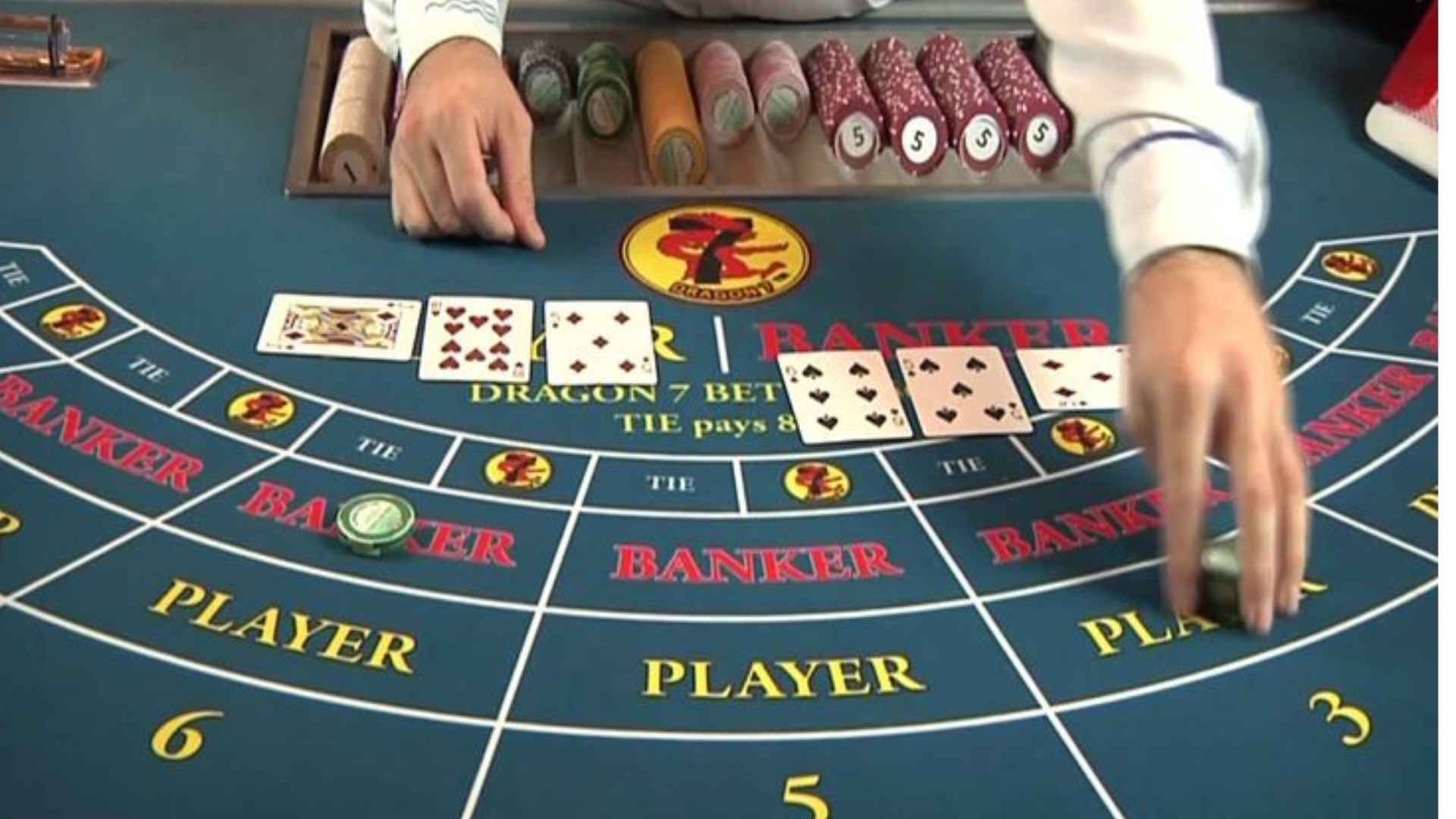
Building a strong friendship or romantic connection with Shane in Stardew Valley requires knowing where he spends his time throughout the week. While his prickly demeanor might intimidate new players initially, finding him is relatively simple once you understand his daily movements. Knowing his exact residence, workplace, and leisure spots makes giving him gifts and triggering heart events far more convenient.
Shane's Home Location in Pelican Town
Shane lives at Marnie's Ranch, located in the northeast area of Cindersap Forest just south of your farm. He rents a small bedroom on the ground floor near the kitchen area, living alongside his aunt Marnie and his goddaughter Jas. Checking the ranch early in the morning before he leaves for work is often the easiest way to catch him at home.
Because Marnie's Ranch opens its doors at 9:00 AM, players cannot enter his bedroom earlier in the day unless they have built sufficient friendship with Marnie or Shane. Once you achieve two hearts of friendship with him, you can freely enter his room to chat or deliver gifts before he starts his daily routine. This location serves as his primary starting and ending point every single day of the year.
Understanding Shane's Daily Work Schedule
During standard weekdays early in the game, Shane spends the majority of his daytime hours working at JojaMart. He leaves the ranch around 7:10 AM and works on the store floor from 9:00 AM until 5:00 PM every Monday through Friday. If you want to meet him during the day, visiting JojaMart during his shift provides a guaranteed location to find him.
Once players complete the Community Center bundles, JojaMart permanently closes down, which significantly alters his routine. After the store closes, Shane spends more time around Marnie's Ranch or visiting town locations instead of working long retail hours. Understanding this major shift helps players adapt their daily routines as their farm progresses over the years.
Where to Find Shane in the Evenings
When his workday ends at 5:00 PM, Shane almost always walks directly to The Stardrop Saloon in Pelican Town. He sits at the counter enjoying drinks from around 5:00 PM until 11:00 PM nearly every night of the week. This makes the saloon the most reliable place to visit if you want to deliver hot peppers or pizza after finishing your daily farm chores.
After 11:00 PM, Shane leaves the tavern and walks back south toward Cindersap Forest to return to Marnie's Ranch for the night. Players trying to catch him on his walk home can intercept him along the road connecting town to the forest. Since he stays out late, evening visits to the saloon remain the best strategy for busy farmers.
Weekend Routines and Special Weather Shifts
On weekends, Shane takes time off from his usual JojaMart duties, giving players different opportunities to meet him. On Saturdays, he leaves the ranch around noon to browse the shelves at Pierre's General Store before heading to the saloon at 5:00 PM. Sundays are even simpler, as he generally stays home at the ranch all morning before making his usual evening trip to the tavern.
Rainy days can alter his routine slightly, occasionally sending him to work extra hours or keeping him near the ranch. Keeping track of his movements across various weather conditions ensures you never waste time searching the map. With a clear understanding of his home, work, and tavern stops, tracking down Shane becomes a seamless part of your Stardew Valley playthrough.
What Is a Hand Pay at a Casino: Understanding Large Slot Machine Payouts ...
When playing slot machines at a casino, hitting a major winning combination is an exhilarating moment for any player. However, when the payout reaches a specific monetary threshold, the machine locks up instead of immediately printing a ticket or dispensing cash. Understanding how a hand pay works helps players navigate large payouts with confidence and ease.
The Core Definition of a Casino Hand Pay
A hand pay occurs when a slot machine winnings exceed the legal automatic payout limit set by venue regulations or tax laws. In many jurisdictions, any single win of twelve hundred dollars or more automatically triggers this special payment protocol. Instead of releasing credits directly to the machine, an attendant must personally verify the win and deliver the funds.
This mechanism serves both regulatory and operational purposes for traditional gaming establishments. It ensures proper accounting practices while preventing unauthorized cash disbursements from electronic gaming terminals. Players interested in online gaming platforms often look for options like m88 login alternatif to explore digital gaming environments with distinct payout procedures.
Why Slot Machines Lock Up During Large Wins
When the threshold is reached, the slot terminal displays a notification screen and lights up an overhead signal beacon. The system prevents further play on that specific machine until a staff member resolves the transaction. This safety lock protects the player's balance and alerts floor supervisors that assistance is needed.
During this period, players should remain seated at the machine to avoid any identification confusion. Staying present ensures that casino attendants can verify the winning terminal quickly. Leaving the machine unattended during a lockup can lead to delays in processing the payment.
Tax Documentation and Verification Steps
One of the main reasons hand pays exist is to satisfy government tax reporting requirements. In the United States, for example, casinos are required to issue a W-2G form for qualifying slot jackpots. Players must present valid photo identification and a taxpayer identification number to complete the documentation.
The casino attendant will input the player details into their system before printing the necessary tax forms. Winners receive a copy of these documents for their personal tax filing at the end of the year. This step ensures full compliance with federal and state financial laws.
Receiving Your Payout and Tipping Etiquette
Once all verification procedures are finalized, the attendant will deliver the winnings directly to the player. Payouts can be issued in cash, by check, or split between both depending on player preference and casino policy. The attendant will then unlock the slot machine, allowing regular gameplay to resume.
It is customary, though optional, to tip the casino attendant who processed the hand pay transaction. Many players choose a small percentage or a fixed amount as a gesture of appreciation for prompt service. Understanding these steps makes managing a significant casino win a smooth and stress-free experience.
Betting Tips for Horse Racing Key Factors to Consider Before Analyzing a Race ...
Analyzing a horse race requires a structured approach rather than relying solely on intuition or popular sentiment. Bettors who break down races into key variables often uncover valuable insights that the broader market might overlook. Understanding the foundational elements before placing a wager helps build a disciplined strategy focused on long-term value.
Evaluating Recent Form and Performance Metrics
A horse's recent performance offers crucial clues about its current physical condition and competitive readiness. Examining past race finishes, speed figures, and class levels allows handicappers to judge whether a runner is improving or declining. Consistent finishes against strong competition generally indicate a reliable contender.
It is equally important to examine how a horse handled specific distances in its previous starts. A runner stretching out to a longer distance for the first time may struggle, while one dropping back in distance could finish strongly. Evaluating past running lines gives a clearer picture of stamina and pace adaptability.
Assessing Track Conditions and Distance Factors
Surface type and track condition play a massive role in determining the outcome of any thoroughbred event. Certain horses excel on firm turf, while others show superior form on mud or synthetic surfaces. Checking weather forecasts and track bias helps identify runners best suited for the day's conditions.
Distance suitability is another non-negotiable factor when dissecting a race card. Pedigree analysis can provide additional hints when a horse faces an unfamiliar distance or surface layout. Reliable sports analysis platforms like boss29.com often highlight how environmental factors impact overall event dynamics. Matching a runner's specific strengths to the track layout improves handicapping accuracy.
Analyzing Pace Scenarios and Jockey Impact
Race pace heavily influences which running styles will have the tactical advantage during the stretch run. A race packed with front-runners often leads to a fast early tempo, favoring horses that close from off the pace. Conversely, a lack of early speed allows a lone pace-setter to control the race comfortably.
The partnership between jockey and trainer also warrants careful consideration during pre-race analysis. Experienced jockeys understand how to execute tactical decisions and conserve energy through critical turns. Monitoring jockey win percentages and trainer statistics provides vital context for high-stakes events.
Balancing Odds and Value Determination
Finding a horse with strong form is only half the equation in successful race handicapping. Bettors must evaluate whether the offered odds represent genuine value relative to the horse's actual winning probability. Heavy favorites may win often, but their low payouts do not always justify the underlying risk.
Developing a consistent methodology for pricing races helps bettors avoid emotional decision-making. Comparing personal assessments against public betting trends reveals overlay opportunities where the market understates a contender's chance. Maintaining strict bankroll management ensures that your handicapping strategy remains sustainable over time.

Symbols In The Lottery By Shirley Jackson And What They Represent ...
Shirley Jackson's classic short story, The Lottery, relies heavily on subtle symbolism to critique blindly followed traditions and human cruelty. By setting a horrifying ritual against the backdrop of an idyllic rural village, Jackson creates a stark contrast that heightens the narrative's tension. Examining these key symbols reveals how everyday objects can represent deeply rooted societal flaws.
The Black Box and Shattered Traditions
The worn black wooden box used to hold the lottery slips is perhaps the most central symbol in the entire story. Its faded color and peeling paint represent the gradual decay of ancient traditions that villagers continue to observe without understanding their origin. Despite its poor condition, the community resists replacing the box, illustrating how fear of change often outweighs practical logic.
Interestingly, the townspeople interact with modern concepts of chance in very different ways outside of this ritual. While entertainment choices like m88 casino focus on individual fun and personal risk, the village lottery imposes a forced, fatal gamble on its entire population. The black box reinforces this gloomy obligation, symbolizing the dark history and unquestioned authority of communal conformity.
The Stones and Collective Violence
Stones serve as a chilling symbol of mob mentality and distributed guilt in Jackson's narrative. Before the drawing even begins, children gather smooth, round stones, showing how violence is normalized and passed down to younger generations. By selecting stones, the village ensures that everyone participates in the execution, which dilutes individual moral responsibility.
This collective action highlights how ordinary citizens can easily participate in barbaric acts when sanctioned by society. Because no single person delivers the sole fatal blow, the villagers feel exonerated from personal guilt. The stones ultimately symbolize how unchecked social norms can transform regular neighbors into willing executioners.
Character Names and Symbolic Meanings
Jackson carefully chooses character names to reinforce the story's thematic weight and social commentary. For instance, Mr. Summers oversees the lottery during a sunny June day, masking the violent nature of the ritual under a guise of civic cheerfulness. Conversely, Mr. Graves assists him, subtly foreshadowing the fatal outcome that awaits the chosen victim.
Old Man Warner embodies the stubborn adherence to tradition, dismissing neighboring towns that abandoned the ritual as foolish. Meanwhile, Tessie Hutchinson's desperate protests highlight the hypocrisy of participating until one is personally affected. These names collectively emphasize how social roles reinforce compliance and suppress critical thought.
The Paper Slips and Modern Conformity
The transition from wooden chips to slips of paper reflects a minor attempt to modernize the ritual without changing its cruel outcome. The black dot marked on the winning slip symbolizes the mark of death, transforming a simple piece of paper into a tool of doom. This contrast between mundane administrative items and violent consequences stresses how bureaucracy can cold-bloodedly process human suffering.
Ultimately, Jackson uses the paper slips to demonstrate that updating the appearance of a practice does not alter its underlying immorality. Communities can refine their methods while remaining trapped in harmful paradigms. The paper slips remind readers to question established habits regardless of how organized or modern they may appear.
Key Features That Define A Modern Speed Baccarat Table ...
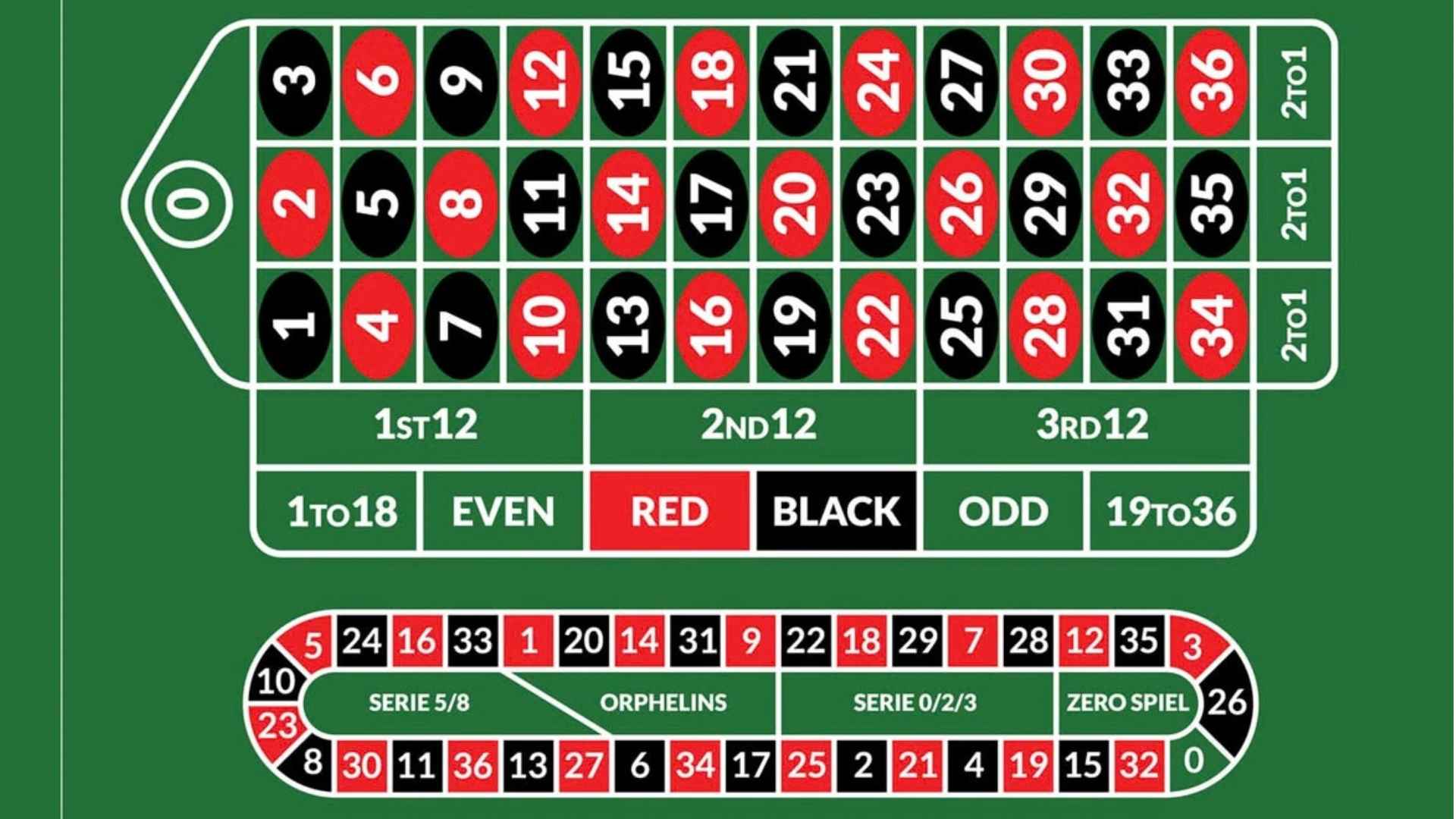
Speed Baccarat has reshaped the online gaming landscape by accelerating traditional card play into rapid, high-energy rounds. Designed for players who favor quick outcomes over lengthy deliberation, this modern variant relies on specialized design elements to maintain momentum. Understanding the distinct structural features of a Speed Baccarat interface helps enthusiasts navigate fast-paced sessions with greater confidence and ease.
Streamlined Betting Intervals and Timers
The primary highlight of any modern Speed Baccarat layout is its strictly condensed wagering window. Digital countdown overlays give players roughly twelve seconds to place their bets before the round officially commences. This tight timeframe minimizes downtime between hands, encouraging quick decision-making while keeping the general flow seamlessly active.
To support fast wagering, developers equip these tables with responsive multi-chip selectors and single-click repeating options. Players who complete their m88 login can easily customize their default stake amounts to keep pace with the swift automated timer. These intuitive interface shortcuts prevent missed betting rounds and enhance overall user satisfaction during extended play.
Accelerated Face-Up Card Dealing
Unlike classic baccarat where physical card squeezes or delayed reveals build suspense, Speed Baccarat utilizes immediate face-up dealing. The dealer places the cards directly onto designated active zones without unnecessary theatrical delays. This continuous mechanics approach allows hand values to be calculated almost instantaneously by optical recognition technology.
By eliminating manual card handling delays, modern tables shorten the total duration of each complete round to around twenty-seven seconds. The clear visual layout ensures that both the Banker and Player hands remain fully legible on screen. This transparent representation helps participants track hand outcomes without requiring complex mathematical calculations.
Interactive Scoreboards and Real-Time Data
Modern live dealer suites integrate detailed digital scoreboards, commonly referred to as roadmaps, directly into the primary display. These graphical charts present comprehensive statistical records of recent outcomes, including Player, Banker, and Tie victories. Having access to live data visualizers allows observant players to track historical session dynamics at a single glance.
In addition to basic outcome charts, updated interfaces feature dynamic betting percentages that showcase collective player activity in real time. These secondary indicators reflect community participation without cluttering the core dealing area. The combination of clean analytics and sleek visual layout balances rich information delivery with uncluttered table visibility.
Optimized Multi-Camera Video Feeds
A crucial technical element defining contemporary Speed Baccarat is the deployment of high-definition, multi-angle camera setups. Seamless optical transitions switch automatically between full table overviews and close-up focal shots of the dealt cards. This dynamic camera work ensures that every portion of the physical gaming surface remains fully visible throughout the rapid deal.
Furthermore, these high-bitrate video streams are engineered for low-latency transmission across mobile and desktop browsers alike. Modern compression protocols prevent visual lag, keeping the live card reveal synchronized with on-screen graphical overlays. Reliable stability ensures that participants experience a crisp, transparent environment across various digital devices.
Semua artikel sudah ditampilkan.